








Running a growing business with disconnected systems can become frustrating. Your sales team works on one platform, inventory records live somewhere else, and finance teams spend hours reconciling information.
At first, these challenges might seem manageable. But as orders increase, teams expand, and processes become more complex, disconnected systems can slow down everyday decisions.
That’s where Odoo ERP implementation can make a difference.
Odoo brings essential business processes into one connected platform, helping companies improve visibility, automate repetitive tasks, and manage operations more efficiently.
But successful implementation isn’t just about installing software. It’s about creating a system that actually works for your business.
What Is Odoo ERP Implementation?
Odoo ERP implementation is the process of setting up, configuring, and adapting Odoo to support an organization’s daily operations.
Depending on business requirements, Odoo can connect functions such as:
- Customer Relationship Management (CRM)
- Sales and purchase management
- Inventory and warehouse operations
- Accounting and invoicing
- Human resources
- Manufacturing and production
- Ecommerce and website management
Instead of switching between disconnected applications, employees can work with information within a connected business environment.
However, the modules and workflows a business needs will depend on its industry, operating model, and existing systems.
Why Businesses Are Considering Odoo Implementation in 2027
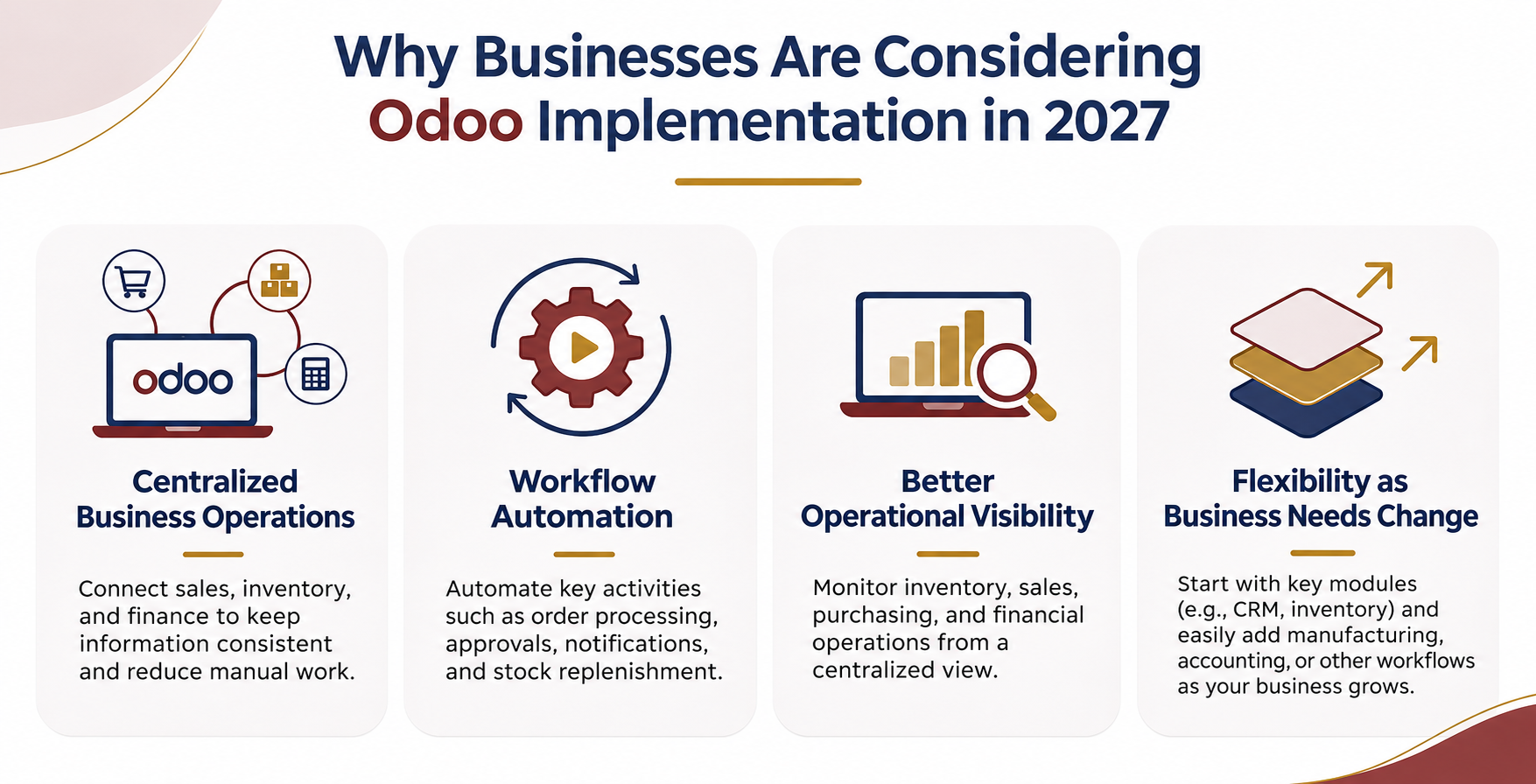 Businesses preparing their technology strategies for 2027 face a familiar challenge: how to scale operations without increasing administrative complexity.
An ERP system can provide a more structured approach to managing business information.
1. Centralized Business Operations
When sales, inventory, and finance operate separately, information can become inconsistent.
Odoo helps connect relevant business functions, giving authorized teams access to shared information and reducing unnecessary manual updates.
2. Workflow Automation
Repetitive activities can consume valuable employee time.
With properly configured Odoo workflows, businesses can automate selected activities such as order processing, approval routing, notifications, and stock replenishment.
3. Better Operational Visibility
Managers need reliable information to make informed decisions.
A well-implemented ERP system can help businesses monitor inventory movements, sales activity, purchasing, and financial operations from a more centralized environment.
4. Flexibility as Business Requirements Change
A company may initially need CRM and inventory management but later require manufacturing, accounting integrations, or additional operational workflows.
Odoo’s modular approach allows organizations to evaluate and introduce additional capabilities as their needs evolve.
Key Stages of a Successful Odoo Implementation
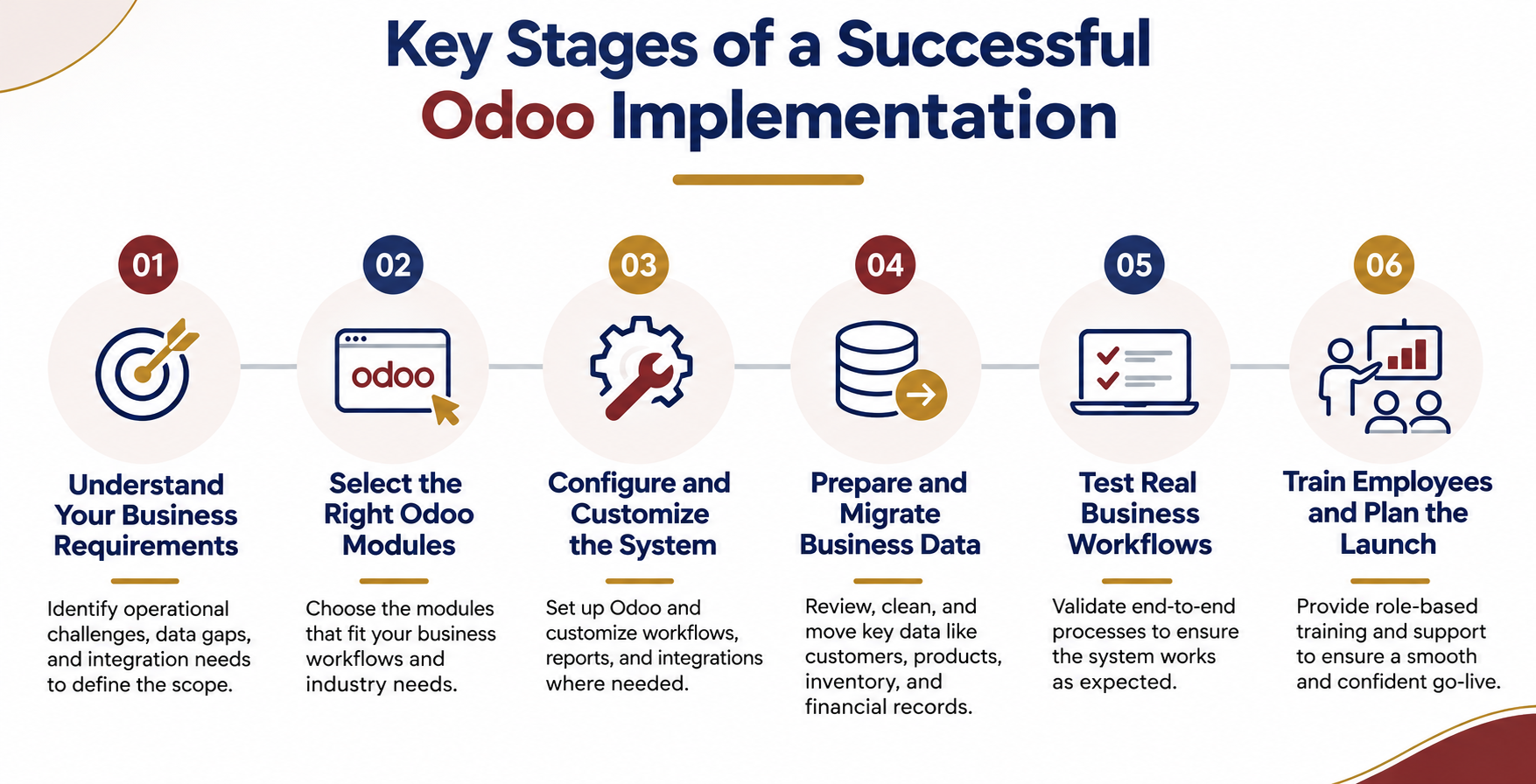
A structured implementation process helps reduce confusion and avoid unnecessary rework.
Step 1: Understand Your Business Requirements
Start by identifying operational problems rather than immediately selecting software modules.
Ask questions such as:
- Which activities require too much manual effort?
- Where does information become duplicated?
- What reporting information do managers struggle to access?
- Which existing applications need to remain connected?
These answers help define the implementation scope.
Step 2: Select the Right Odoo Modules
Not every business needs every available module.
For example, a distribution company may prioritize inventory, sales, and purchasing, while a manufacturing company may need production planning and bills of materials.
Selecting modules around actual workflows makes implementation more practical.
Step 3: Configure and Customize the System
Standard Odoo functionality may meet many business requirements. Other workflows may require additional configuration or custom development.
Odoo customization can involve approval processes, custom fields, reports, dashboards, integrations, or industry-specific features.
The key is to customize only where it delivers a clear operational benefit.
Step 4: Prepare and Migrate Business Data
Data migration is one of the most important implementation activities.
Customer records, supplier information, product data, inventory balances, and relevant financial records must be reviewed before moving them into the new system.
Duplicate, incomplete, or outdated information can create problems after launch.
Step 5: Test Real Business Workflows
Testing should reflect how employees actually work.
For example, a manufacturing business should verify that purchasing, stock movements, production orders, and reporting behave correctly together.
Testing isolated features is useful, but end-to-end workflow testing is essential.
Step 6: Train Employees and Plan the Launch
Even a well-configured system can fail to deliver its expected benefits if employees do not understand how to use it.
Role-specific training, documentation, and a clear support process help teams adopt the system confidently.
Common Odoo Implementation Mistakes to Avoid
Businesses can reduce implementation risks by avoiding a few common mistakes.
Unclear project scope: Starting without agreed objectives can lead to repeated changes and confusion.
Excessive customization: Rebuilding every existing process through custom development can make maintenance and upgrades more complicated.
Poor data preparation: Inaccurate records can affect inventory, reporting, and operational decisions.
Limited employee involvement: A system designed without input from daily users may not reflect actual working requirements.
Ignoring post-launch support: Employees often need assistance and adjustments after the ERP system goes live.
Addressing these issues early helps create a more stable implementation.
How to Choose the Right Odoo Implementation Partner
Selecting an implementation partner is an important business decision.
Before moving forward, evaluate whether the development team can:
- Understand your business workflows and industry requirements
- Explain the difference between standard configuration and custom development
- Handle integrations with existing applications
- Plan data migration and user testing
- Provide clear documentation and ongoing technical support
The right approach should focus on long-term usability, not simply delivering a collection of software features.
Final Thoughts
An ERP system should make business operations easier to manage, not introduce another layer of complexity.
Successful Odoo implementation begins with understanding how your business operates, selecting suitable modules, and building workflows that support everyday work.
As businesses plan for 2027, the focus should be on creating connected, adaptable systems that support both current operations and future growth.


